Introduction
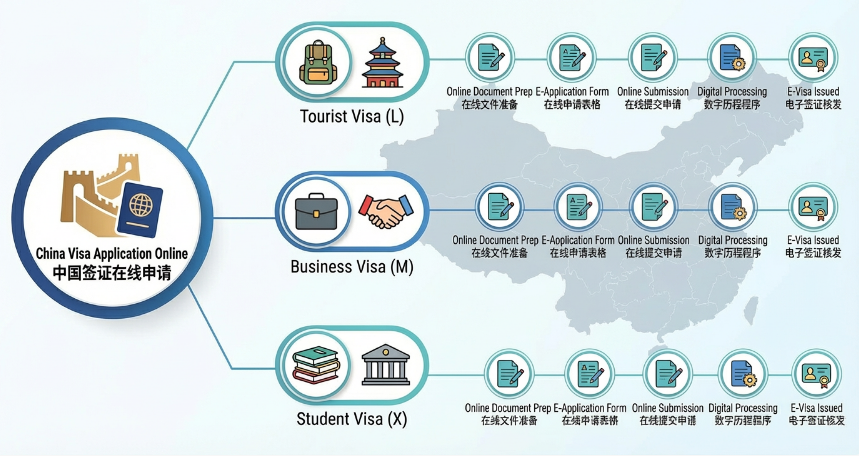
Applying for a Chinese visa has undergone a major transformation. As of September 30, 2025, many Chinese Embassies and Consulates (including those in the US) have migrated to a New China Online Visa Application (COVA) system.
This new system replaces the old "fill-print-appointment" model with a fully digital "fill-upload-review" workflow. You now upload your documents before you visit the consulate, ensuring your application is correct before you ever leave your house.
Part 1: Do You Actually Need a Visa? (Pre-Check)
Before you start the application, check if you are eligible for one of China's expanded visa-exemption policies.
The 15/30-Day Visa-Free Entry
Citizens of the following countries can enter China for business, tourism, family visits, or transit for up to 15 days (and in some cases 30 days) without a visa until December 31, 2025 (or later for some):
- Europe: France, Germany, Italy, Netherlands, Spain, Switzerland, Ireland, Hungary, Austria, Belgium, Luxembourg, Poland, Norway, Finland, Denmark, Iceland, Portugal, Greece, Cyprus, Slovenia, Slovakia, Sweden (New!).
- Asia/Pacific: Singapore (30 days), Malaysia, Thailand (30 days), Australia, New Zealand.
2. The 240-Hour (10-Day) Visa-Free Transit
- Update (Late 2024/2025): The famous "144-hour visa-free transit" has been upgraded to 240 hours (10 days).
- Eligibility: Citizens of 54+ countries (including US, UK, Canada, EU nations) transiting through China to a third country.
- New Rule: You are no longer restricted to just one city/region. You can now travel across 24 designated provinces with this entry permit.
Part 2: The New COVA System Overview
If you do not qualify for the exemptions above, you must apply for a visa.
- Old System: cova.mfa.gov.cn (Still used in some regions, but being phased out).
- New System: https://consular.mfa.gov.cn/VISA/
- Key Features: User account creation, auto-save, digital document upload, and online preliminary review.
Required Documents Checklist
Before logging in, have digital scans (JPG/PNG) of the following ready:
- 1. Passport Bio Page: Clear, color scan.
- 2. Digital Photo: White background, no glasses, forehead visible. (Strict dimensions: 33mm x 48mm).
- 3. Proof of Residency: Driver's license or utility bill (if applying outside your country of citizenship).
- 4. Where You Stay Form: A downloadable form confirming your current location.
- 5. Previous Visa: If you have held a Chinese visa before, scan the most recent one.
- 6. Supporting Docs (L-Visa / Tourist):
- Note: As of Jan 1, 2024, applicants in the US and many other regions no longer need to provide round-trip air tickets or hotel bookings for a standard Tourist (L) visa.
Part 3: Step-by-Step Tutorial
Step 1: Create an Account
- 1. Go to https://consular.mfa.gov.cn/VISA/.
- 2. Click "Login" (top right) and select "Individual Login".
- 3. Create an account using your email. This allows you to save progress and check your application status later.
Step 2: Start Application & Photo Upload
- 1. Select "Start Application".
- 2. Select Location: Choose the Continent and the specific Embassy/Consulate that serves your state/province (e.g., "North America" -> "Los Angeles").
- Critical: You must apply to the consulate that holds jurisdiction over your residence.
- 3. Upload Photo: The system will auto-check your photo compliance.
- Tip: If it fails repeatedly, double-check that the background is pure white (RGB 255,255,255) and no shadows fall on your face.
Step 3: Fill the COVA Form
The form has several sections. Here is how to navigate the tricky parts:
- Personal Information: Ensure your name matches your passport exactly. Middle names go in the "Given Name" field.
- Type of Visa: Select "(L) Tourism" for a standard holiday.
- Work Information: You must list your current employer and at least one previous employer. If unemployed or retired, verify the specific instructions for your consulate (usually "N/A" or "Retired" is sufficient, but fields cannot be left blank).
- Education: List your highest degree.
- Family: List parents' names. If deceased, you still list them but mark status as "Deceased".
- Travel Information:
- Intended Date of Arrival: An estimate is fine.
- Destinations: List the major cities (e.g., Beijing, Shanghai).
- Inviting Person/Org: If you are a tourist without an invitation, tick "Not Applicable" (if the system allows) or refer to the simplified requirements.
Step 4: Upload Documents (The "Preliminary Review")
This is the biggest change in the 2025 system. You will see a section to upload your supporting documents.
- 1. Passport Data Page: Upload the scan.
- 2. Proof of Residence: Upload your driver's license/ID.
- 3. Visa Application Statement: Download the template provided on the site, sign it, scan it, and upload it.
- 4. Other Documents: If applying for a Business (M) visa, upload your invitation letter here.
Step 5: Submit & Wait for "Green Light"
Once submitted, your status will change to "Under Review".
- Do NOT go to the consulate yet.
- Consular staff will review your digital forms.
- If there are errors (e.g., blurry photo, wrong jurisdiction), they will email you or update the status to "To Be Modified". You can edit the form online without starting over.
Part 4: Submission (The Physical Step)
Once your application passes the online review, your status will update to "Passport to be Submitted".
- 1. Print:
- The "Visa Application Certificate" (Confirmation Page with QR code).
- The full "Visa Application Form" (only the signature pages are usually needed, but bring the whole set to be safe).
- 2. Sign: Physically sign the confirmation page and the last page of the form.
- 3. Visit the Center:
- Walk-in vs. Appointment: Under the new system, many consulates (like in the US) allow you to walk in during business hours once you have the "Passport to be Submitted" status. You do not need to book a separate AVAS appointment.
- Note: Verify this on your specific consulate's "Notice" board, as some busy centers may still require a queue number.
- 4. Bring Originals:
- Original Passport (valid for 6+ months).
- Original Proof of Residence (Driver's License).
- Printed Forms.
- One physical photo (just in case the digital one had issues).
Part 5: Payment & Collection
- Processing Time: Usually 4 working days (Regular) or 2-3 days (Express).
- Payment: Most centers accept Credit Card (Visa/Mastercard), Money Order, or Cashier's Check. Personal checks and cash are rarely accepted.
- Fee (Example for US Citizens): ~$140 USD.
- Collection: You will receive a pick-up slip. You can have someone else pick it up for you with this slip.
Summary Checklist for Success
Disclaimer: Visa policies change rapidly. While this guide is accurate as of late 2025, always verify the final requirements on the official website of the Chinese Embassy in your country.